REAL FRAMES, REAL LIMITS
Raindance AI Video Problems: Faces, Body Proportions, Motion and Audio
A completed render can still contain the wrong person, an old costume, awkward proportions, or missing audio. Here is what our tests showed—and which changes actually helped.
Diagnose the failed requirement before trying another take. Check identity in every shot, anatomy in full-body views, timing at each cut, and the downloaded file’s audio. In our tests, a stronger prompt did not repair the distant identity; a different model improved it but left a cape; adding music fixed silence without changing any video frames.
Two workflows, clearly separated
The identity, costume, and alternate-source examples below come from historical video-reference recasting experiments on October 8, 2026. They used our fictional adult portrait references and previously selected AI community source clips. They are evidence about those attempts, not demonstrations of a feature currently available in the public studio.
The feet, cut timing, and audio examples come from the published two-photo, prompt-only sunset-pier sample. That is the current site’s method: generate a new scene, then add music. See character swap vs photo-to-video if the distinction is unfamiliar.
Every frame shown here was copied from an existing test image or extracted from an actual saved video. The footage was not regenerated or retouched for this article. Single frames help locate a problem; they do not prove that the entire clip is defect-free.
1. The close-up changed, but the distant face did not
Our first five-second community-source test used Seedance 2.0 Mini. The intended mapping was a fictional man for the seated performer and a fictional woman for the approaching singer. The foreground and close-up identities changed, but the walker at 2.5 seconds retained the original white hair, glasses, white suit, and red cape.
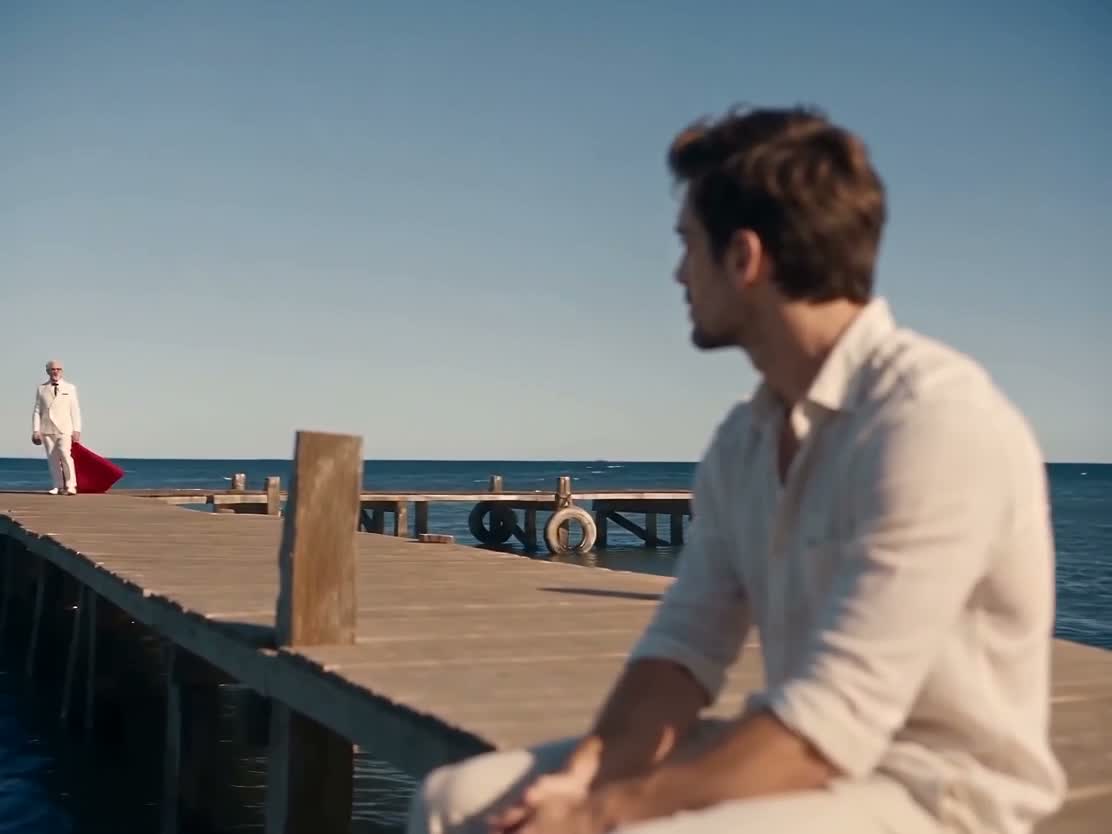
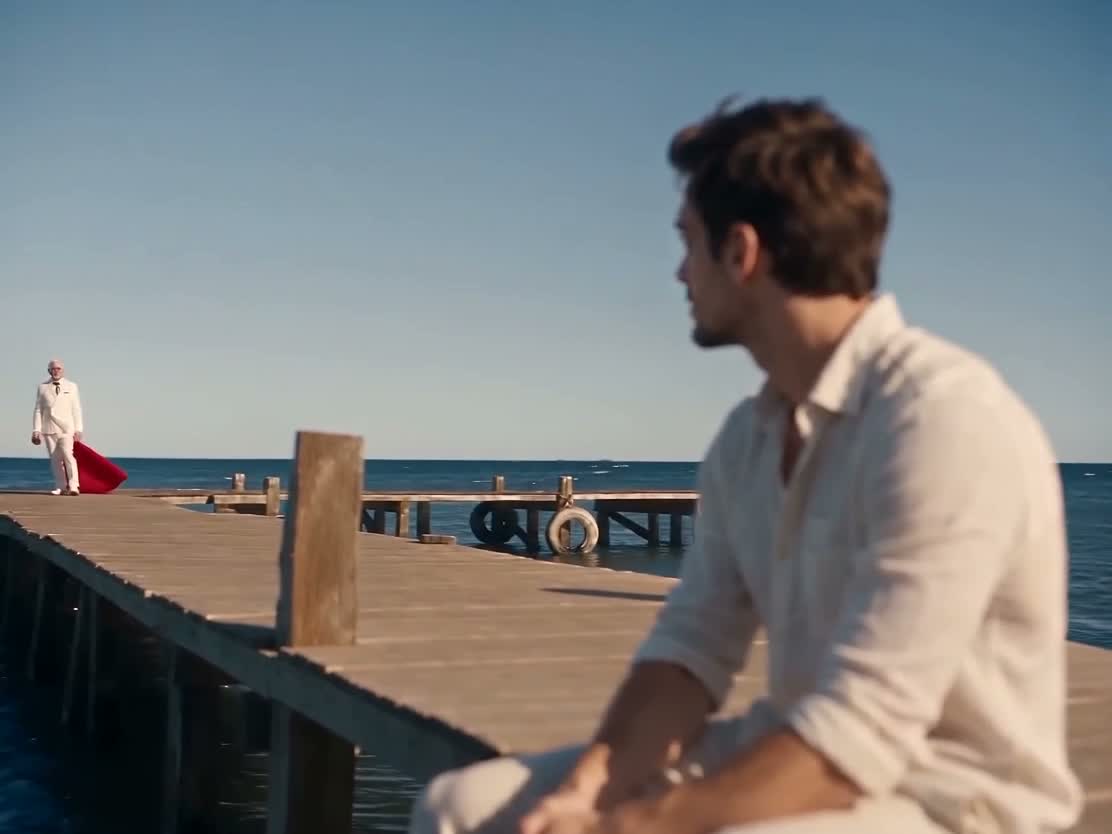
The controlled change: we revised the prompt to require replacing the distant walker from the opening frame and maintaining that identity into the close-up. Both renders were approximately 5 seconds, 1112 × 834 pixels, and used the same portrait order. This is a prompt comparison—not proof that wording controls every shot. Separate generations can also vary on their own.
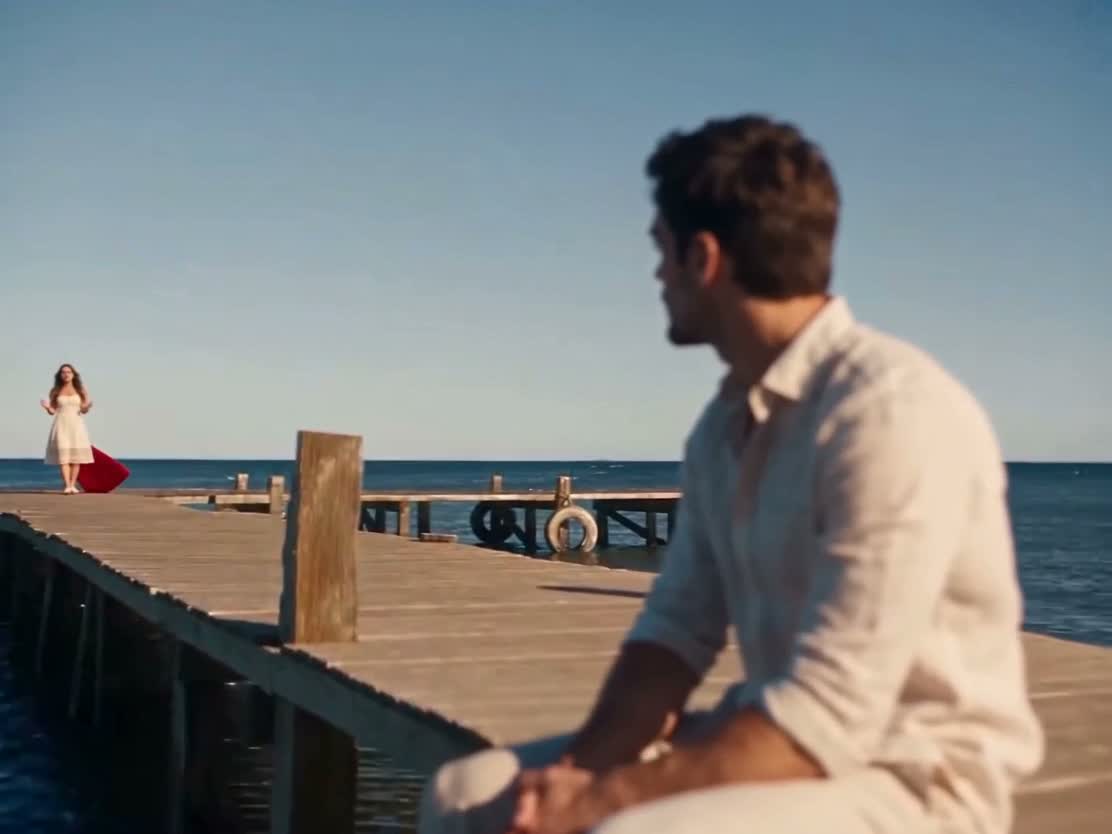
What improved: the separate standard Seedance 2.0 test replaced the distant person as well as the close-up. What did not: complete costume removal. This test changed the model and requested resolution, so it is not a model-only A/B result. The actual downloaded video was still 1112 × 834 pixels.
The remaining cape was accepted as a visual tradeoff in that historical candidate. It should not be recorded as successful costume removal. For your own review, write down whether identity, clothing, and background each passed; one correct face cannot stand in for all three.
Historical source attribution: our saved template catalog credits Tyler (@tyleeeee15); original community post. The images above show our generated test outputs, not the creator’s unmodified source video.
2. “Success” returned a video without the requested role swap
In a separate compatibility test, we used our own AI-generated two-person pier clip as the source. We deliberately reversed the ordered portrait references: the woman was requested for the initially left role and the man for the initially right role. That made the requested change visually distinguishable from retaining the original cast.
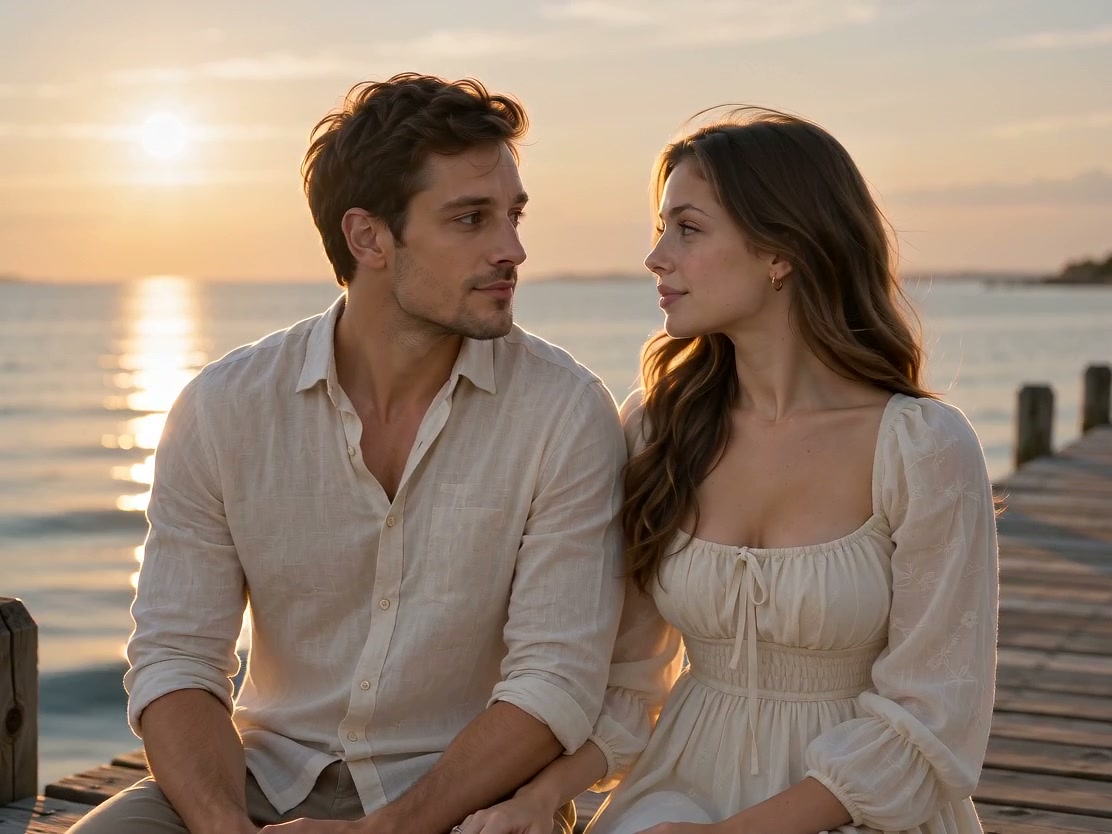
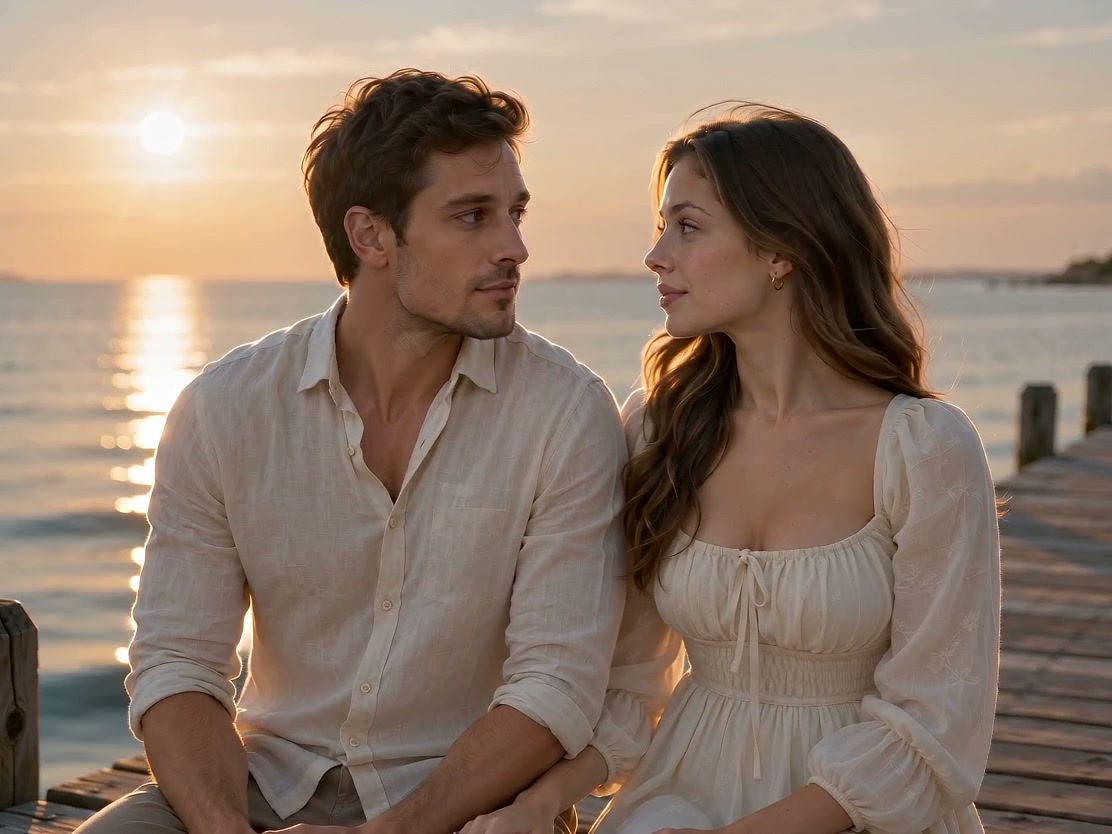
The provider returned a valid approximately five-second MP4 and a success status, but our visual acceptance failed. Using an AI-generated source did not establish that character replacement worked. This also does not imply that every AI source fails; it describes one documented source/reference combination.
For the current studio: the swap button exchanges the two input references before new-scene generation. It does not edit an existing finished video. Check the upload labels first, then verify the generated roles on screen.
3. Better identity coverage still did not pass body review
We next tried a different, cape-free AI community source, using a ten-second Seedance 2.0 Mini request. Sampled frames showed the intended identities across the seated shot, distant walker, singing close-up, and shared beach scene. No old scarf, glasses, tracksuit, or cape was visible in the reviewed frames.
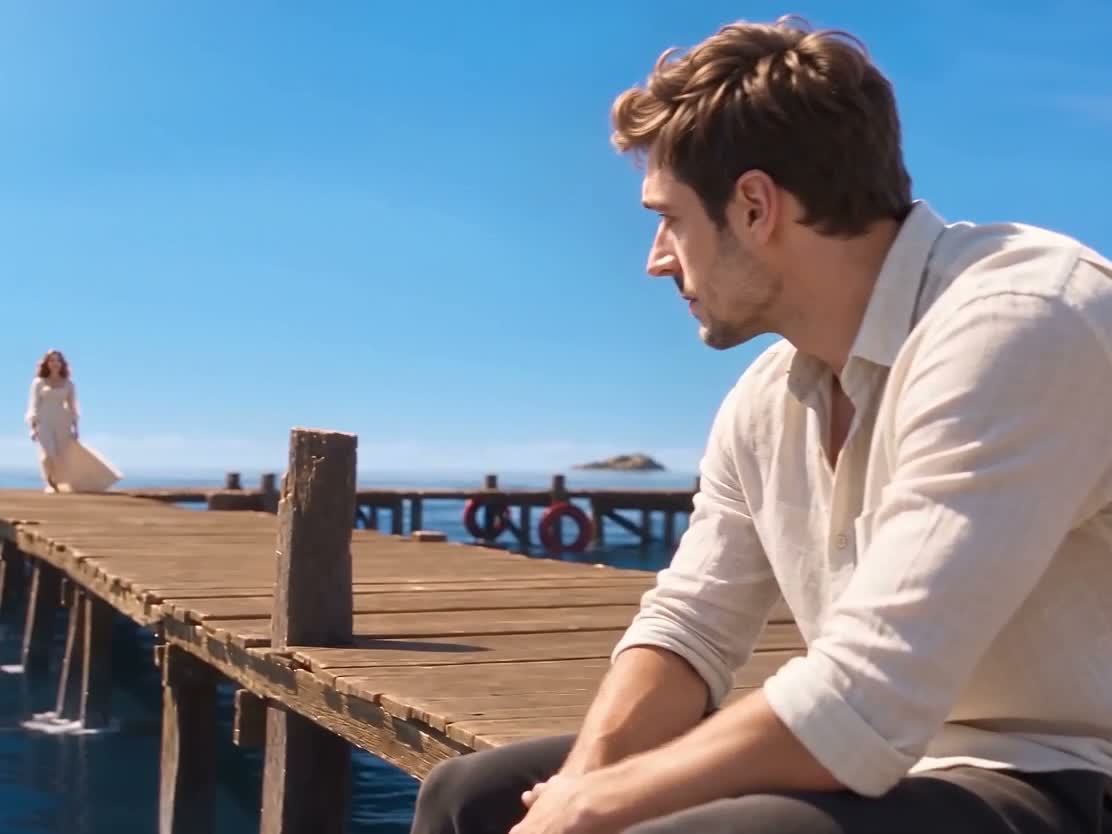
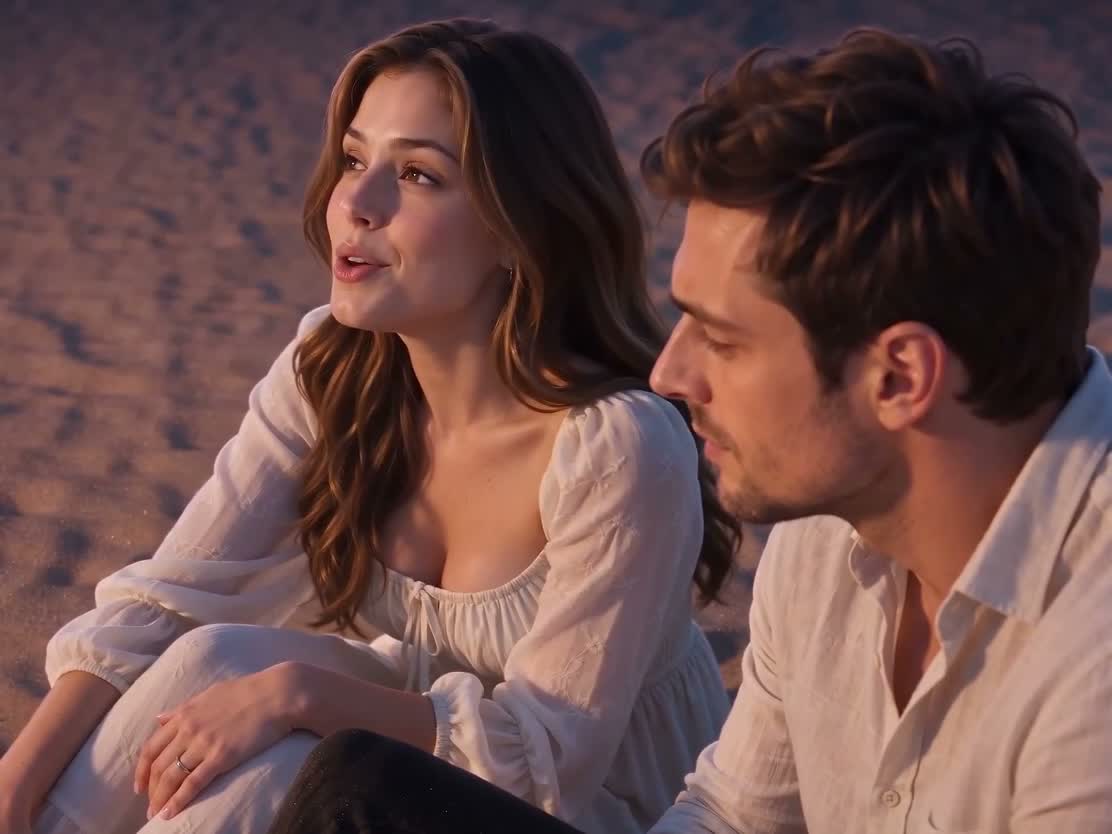
The decision: human review rejected this alternate-source result and chose the earlier candidate despite its cape. That does not turn the earlier candidate into a perfect anatomical reference. The sources, output lengths, and model settings differed, so this is a record of an acceptance decision—not a controlled repair of body proportions.
Look at head-to-shoulder balance, the length and connection of arms, seated posture, and movement between frames. A person nearer the camera naturally appears larger; scale difference alone is not proof of an anatomy error. We do not have a measured universal body-ratio threshold or a demonstrated prompt that fixes this issue on every take.
Alternate historical source attribution from our saved template catalog: Tyler (@tyleeeee15); original community post. Only our generated result frames are reproduced here.
4. Feet can be grounded while timing still drifts
Our accepted prompt-only sample used two fictional portraits, no source video, and a three-shot scene prompt. It requested the singer’s feet on dry boards, at least one meter from the edge, with cuts at four and ten seconds. The result only partly followed those spatial and timing instructions.

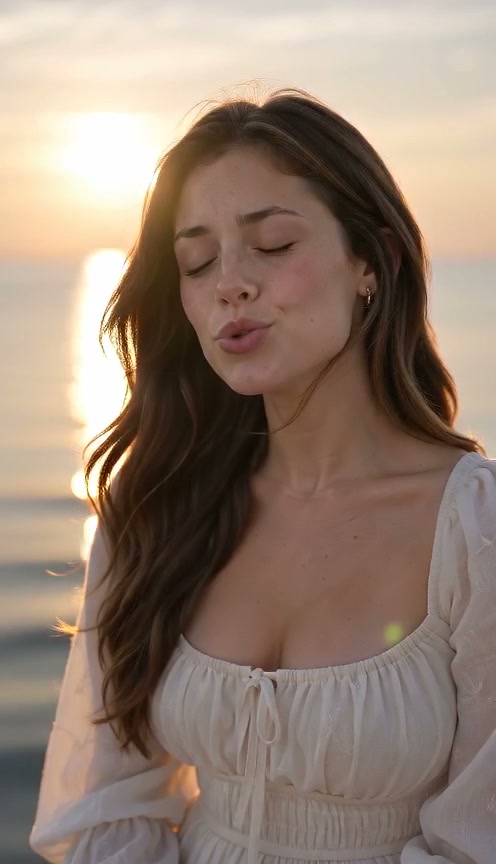

What passed: the requested scene sequence and visible foot contact in the opening. What varied: distance from the edge and cut timing. Scene-change inspection located the cuts at 3.375 and 7.542 seconds. The actual silent sample is about 14 seconds at 496 × 864 pixels, in the provider’s 480p tier; it is not a measured delivery of the current 15-second/720p settings.
If you need exact choreography or cuts synchronized to a source performance, this site’s prompt-only workflow does not provide that control. Cropping or editing a finished clip can change framing or cut points, but will not make the model perform a missing gesture. We have not demonstrated an exact-timing repair in this sample.
5. A silent file needed an audio track, not another render
The raw accepted scene was generated with audio generation disabled and no audio reference. File inspection found an H.264 video stream and no audio stream. The finished site sample adds an AAC track containing the Raindance song excerpt.
| Check | Raw scene | With music |
|---|---|---|
| Video | H.264, 496 × 864 pixels | H.264, 496 × 864 pixels |
| Audio | No audio stream | One AAC stream |
| Video-data comparison | Matching SHA-256 hashes of the encoded video packet data before and after music was added | |
This is a verified correction for silence: adding the audio track left the encoded video data unchanged. It did not fix mouth timing. Song lyrics and visible singing can still differ because the model never received that song as a performance reference.
The current studio applies this music step automatically. If your completed download seems silent, check the player mute control and device volume, then play the saved MP4. If the file itself has no audio track, report it through the support link in the footer. Downloads do not grant music rights.
A review sequence grounded in these failures
- Identify the workflow. Are you generating a new scene or editing a source clip? Do not diagnose missing exact choreography as a broken feature in a tool that never takes a driving video.
- Check every shot and both people. The distant-role failure was missed if you looked only at the foreground or singing close-up. Record identity and clothing separately.
- Review anatomy before accepting likeness. The alternate source passed identity checks and still failed human review. Examine full-body posture and transitions, not just faces.
- Inspect the file’s audio. Player silence and a missing audio stream are different problems. Our audio-only correction shows why another video render is not automatically needed.
- Label the strength of any conclusion. “This prompt variant still failed” is supported here. “A sharper portrait always fixes it” is not: no sharp-versus-blurry portrait A/B experiment was performed.
For your own iteration, keep the inputs and settings, note the failed timestamp, and change one intended variable at a time when the tool allows it. Record every other setting that also changed. The public studio currently uses a fixed prompt, so it does not offer an editable negative-prompt field or source-video switch.
Raindance troubleshooting FAQ
Why can a Raindance video look right in the close-up but wrong in the distance?
Our historical recasting test changed the foreground person and singing close-up while retaining the source performer in the distant opening. A stronger prompt still failed that shot. Review each person in every shot, not just the most flattering close-up.
Does changing the source video fix body proportions?
Not reliably. An alternate-source test passed our sampled identity and costume checks but was rejected in human review for body proportions. The source, length, and model configuration differed from the previous test, so this was not a controlled anatomy-fix comparison.
Does adding the Raindance song fix lip-sync?
No. Our verified audio correction added an AAC track while leaving the video track unchanged. It fixed a silent file, not the timing of mouth movements. The current studio adds music after generation and does not promise exact lyric lip-sync.
Will a sharper photo or a stronger negative prompt solve every problem?
No. We have not measured a sharp-versus-blurry portrait A/B test here. Clear references are sensible input preparation, but our stronger all-shot prompt did not fix the distant identity. Recommendations are separate from demonstrated corrections.
Evidence and limits
The illustrated findings come from saved test outputs and their review records. Historical recasting footage is approximately five or ten seconds at 1112 × 834 pixels; the current published new-scene sample is approximately 14 seconds at 496 × 864. Only selected frames are shown, and human acceptance is distinguished from model task completion.
Model reference: KIE’s Seedance 2.0 Mini documentation. For input permission, storage, and download availability, read our AIGC use policy, Privacy Policy, and Terms. To follow the current workflow, use the complete two-photo tutorial.